
 Deckhand
Support
A question about the deck, a missing purchase, or something that doesn't look right? Start here.
Email me. Include your iPhone or iPad model, iOS version and what you were doing (for example "Cities & Knights, 4 players, after New Year"). I usually reply within a few days.
support@westlund.usPlaying
How does the event deck work?
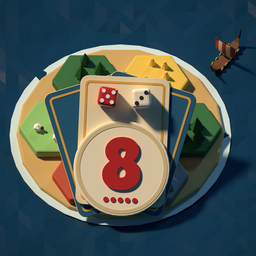
The deck has 36 cards, one for every way two dice can land: one 2, two 3s, and so on up to six 7s. Instead of rolling, the player whose turn it is taps Flip (or swipes up on the deck) to turn over the next card. Over the course of the deck every number comes up exactly as often as the dice say it should, so no one gets starved of resources by bad luck. Many cards also carry an event, which Deckhand explains with steps for the table.
What happens at New Year?
New Year is shuffled in near the bottom of the deck, so a few cards are never drawn and the last numbers can't be counted. When it comes up, the deck is reshuffled and play goes on. You can choose how many cards sit behind New Year when you start a game.
Does it support Cities & Knights?
Yes. Choose it on the New Game screen. Deckhand rolls the event die with every flip, moves the barbarian ship, shows which progress cards can be drawn, and opens a step-by-step helper when the barbarians attack. If you'd rather roll a physical event die, choose Physical die in the deck options and tap the face you rolled.
What are the house rules?
On the New Game screen you can shuffle up to four decks together, choose 0 to 15 cards behind New Year, or switch to a fully random mode that uses exact dice odds instead of a deck. The official options are labelled so you always know which you're using.
I flipped by mistake.
Tap Undo to take the last flip back. History shows every flip in the game, and Stats shows how the numbers have come up.
Will I lose my game if the app closes?
No. Deckhand saves after every flip. Open it again and tap Continue Game to pick up on the exact card.
Purchases
My purchase is missing.
Tap Settings → App → Restore Purchases while signed in to the same Apple Account you bought with. Purchases work with Family Sharing, so family members can restore them too.
What does Remove Ads do?
It turns off every ad in the app, permanently: the full-screen ads before a game, the banner below the game controls and the one on the main menu.
How do I get a refund?
Apple handles all payments and refunds. Request one at reportaproblem.apple.com.
Ads and privacy
When do ads appear?
A full-screen ad may show on the way into a game, after you start a new game or first resume one after reopening the app, at most once every ten minutes and never on your first launch. A small banner sits below the game controls, and another at the bottom of the main menu. Ads never cover the game while you play.
How do I change my ad privacy choices?
Open Settings → App → Privacy Options to reopen Google's consent message (the row appears when your region has one). Deckhand never asks to track you across apps. Details are in the privacy policy.
What data does the app collect?
Deckhand keeps your games and settings on your device and has no accounts or analytics. Google's ad software collects some data to show and measure ads. See the privacy policy for the full list.
About
What do I need?
An iPhone or iPad with iOS 17 or later, and your own copy of the board game. Games are saved on the device; they move to a new one with an iCloud or computer backup.
Is Deckhand official?
No. Deckhand is an unofficial fan companion that works with CATAN® and CATAN®: Cities & Knights. It is not affiliated with or endorsed by CATAN GmbH or Catan Studio.